Music Studio Settings: Genre, Prompt, Lyrics and Instrumental Beds
How to set Music Studio controls for better tracks: genre on Text to Song, Prompt vs Lyrics, and how to brief Text to Music so beds stay instrumental and fit the picture.
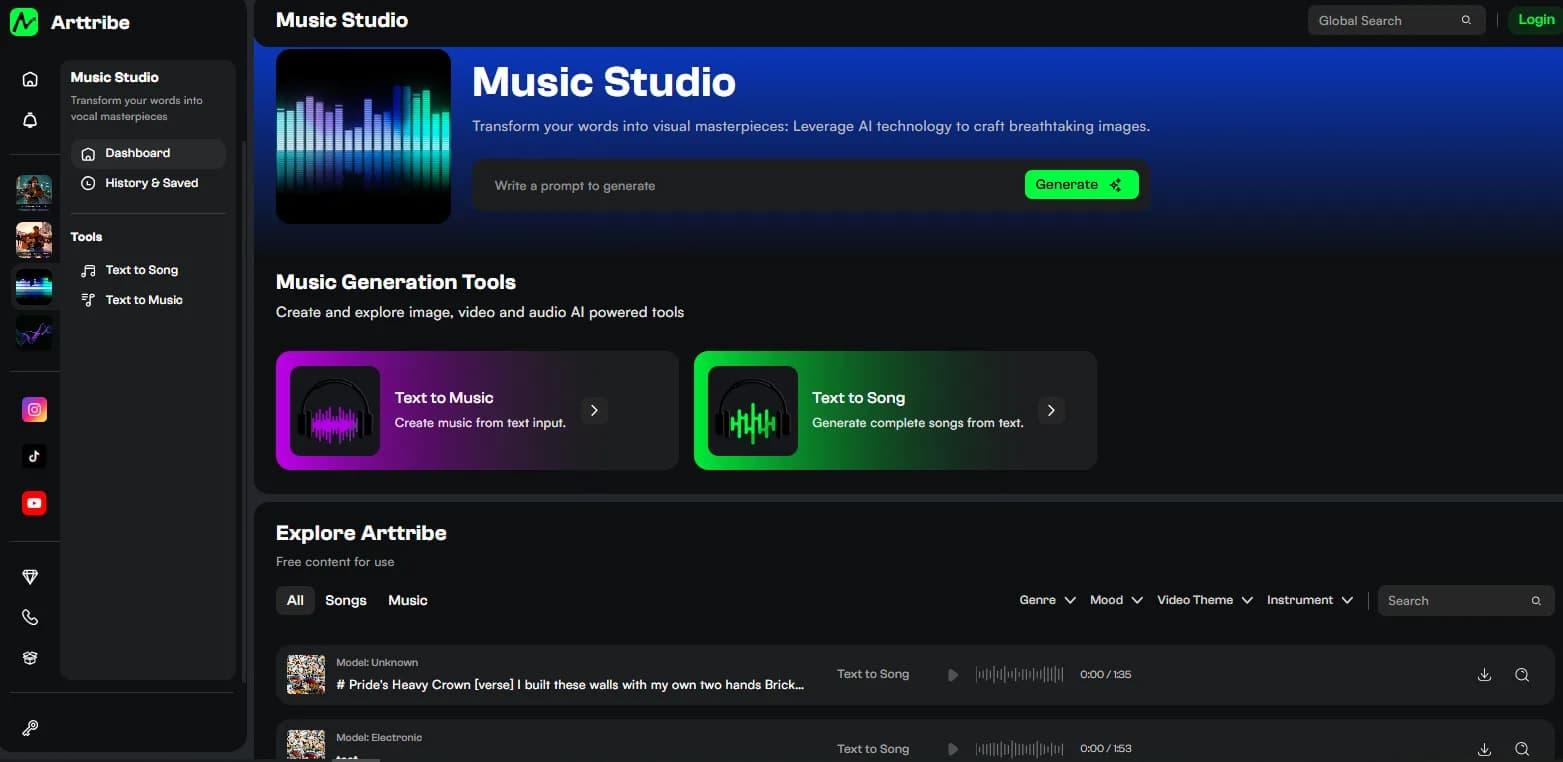
Music Studio has two tools and a short settings list. Text to Song is a vocal track. Text to Music is an instrumental bed. Mix them up and you get singing under a voiceover, or a bed with no hook when you needed a song.
There is no duration slider and no model picker in the sidebar. Length and arrangement come from the brief. Genre is a Song control. Music is driven by the prompt.
Text to Song: Genre, Prompt, Lyrics#
The sidebar is Tool and Genre. The main panel is Prompt or Lyrics.
Genre options: Pop, Classical, Metal, Jazz, Flute. Genre steers rhythm, instruments, and vocal delivery. Pick the closest match first. Change it only if the arrangement or vocal style is still wrong. Do not change genre and lyrics in the same run.
Prompt describes the song: theme, mood, vocal style, structure. Use it to sketch. Example: upbeat pop, female vocal, verse-chorus, 30-second hook about a summer drink, hard end.
Lyrics is for exact verses and chorus. Label sections so the model can follow shape. Pasting lyrics into Prompt mode treats the lines as a description, not words to sing.
Listen for the hook, whether the words are clear, and how the track ends. Then change one of prompt, lyrics, or genre.
Text to Music: the prompt is the control#
Text to Music has no genre tile in the live sidebar. Write the brief as if you were filling a cue sheet.
Name genre, mood, tempo, instruments, and where it will play. Say instrumental only or no vocals when the track sits under speech. Weak: “cinematic.” Stronger: “lo-fi hip-hop, 85 BPM, warm keys, soft drums, no vocals, background for a 20-second product video, hard end.”
Do not paste verses here. Vocals belong in Text to Song. If a hum or pad sneaks in, add “instrumental only” and generate again. Test on the Video Editor timeline and on a phone, not only in headphones.
How to set a track that fits picture#
- Know the cut length and whether anyone talks over it.
- Song with words → Text to Song. Bed under VO → Text to Music.
- Song: set genre, then Prompt or Lyrics. Music: put genre and “no vocals” in the prompt.
- Generate. Change one variable.
- Drop the file under picture in Video Editor. If vocals fight a voiceover, replace the song with an instrumental bed.
Try this in Arttribe
Open the matching studio and run the workflow from this article.
Open Music Studio